Introducing Our New Google Ads PPC Management $20/mo

All Email Issues Resolved – All Systems Fully Operational

Award Winning Hosting Since 2017

Free Backups
Free Site Transfers
cPanel Included
Malware Protection
24/7/365 Support
Litespeed Servers
AI WAF Protection
DDOS Protection
2023-silver-top-25-best-wordpress-hosting (1)

How to Change the Signature of an Apple/iOS (Sent From My iPhone)

Table of Contents

Looking for cPanel Web Hosting?
$ 4.95 /mo when you renew

If you send an email via iOS, a signature will be automatically added in your reply, such as Sent from my iPhone. But do you know that you can customize this signature as well?

1. Open the main screen of your Apple Mobile and click on the Settings icon.
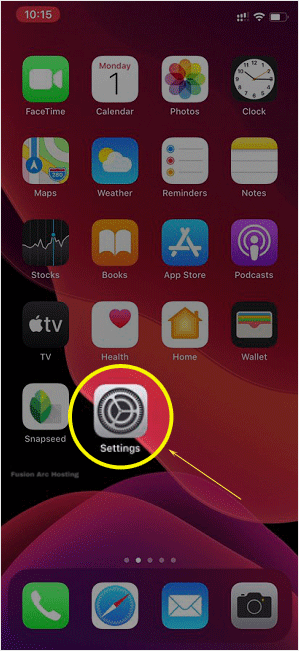
ios apple home screen

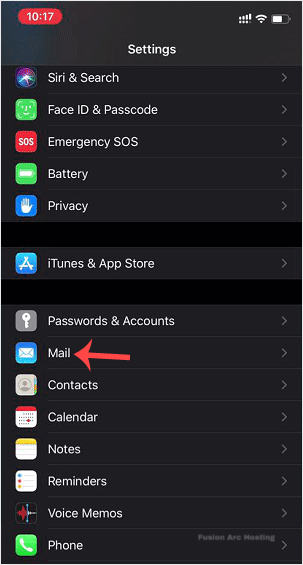
2. Scroll down and tap on Mail.
ios settings mail option

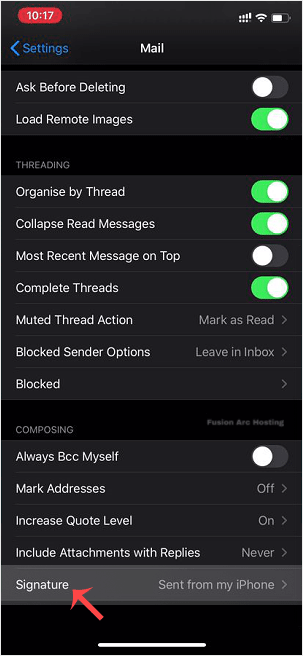
3. Now tap on Signature.
set signature apple email cpanel

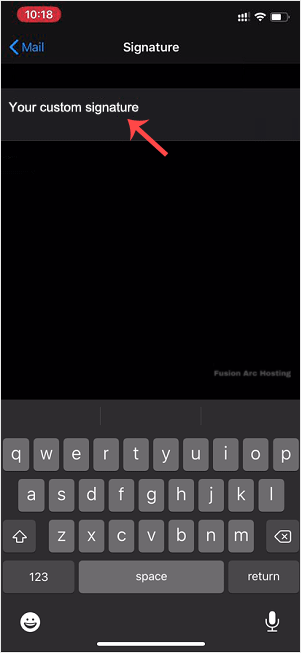
4. Customize your signature.
customize apple ios signature

After changing it, your iOS will send your customized signature instead of the default signature.