
Introducing Our New Google Ads PPC Management $20/mo

All Email Issues Resolved – All Systems Fully Operational

Award Winning Hosting Since 2017

Free Backups
Free Site Transfers
cPanel Included
Malware Protection
24/7/365 Support
Litespeed Servers
AI WAF Protection
DDOS Protection
2023-silver-top-25-best-wordpress-hosting (1)

How to Change the VPS Root/Admin Password in SolusVM 2

Table of Contents

Looking for cPanel Web Hosting?
$ 4.95 /mo when you renew

You can change the root/admin password of your VPS Operating System using SolusVM 2.

1. Log in to your SolusVM 2 Control Panel.

2. Under Projects, click on the project that contains your VPS.
solusvm2 vps status

3. Click on the appropriate VPS.solusvm2 vps select


4. Go to the Boot & Rescue tab.

solusvm2 boot rescue tab


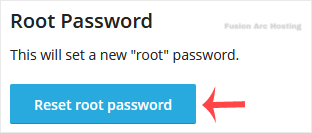
3. Click Reset Root Password, then click Reset to proceed.solusvm2 reset root password
4. It may take a few moments for the password to change, after which a success message will display. Copy the password to Notepad.solusvm2 password changed

You have successfully changed the root/admin password.