



You can lock a directory with a password using the cPanel’s Directory Privacy.
1. Log in to your cPanel account.
2. In the Files section, click on Directory Privacy.
3. Click on the directory to open it.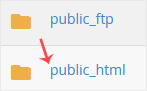
4. Click on the Edit, showing next to the directory you want to protect.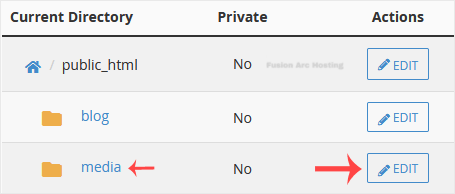
5. Under Security Settings, check-mark Password protect this directory. Then click on Save.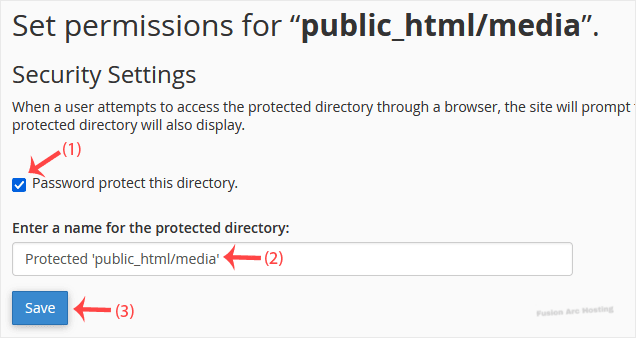
6. Now click on Go back.
7. Scroll down the page. Under Create User, fill in the username and password fields or use the Password Generator option to generate a new random password and copy it to Notepad. Click on Save.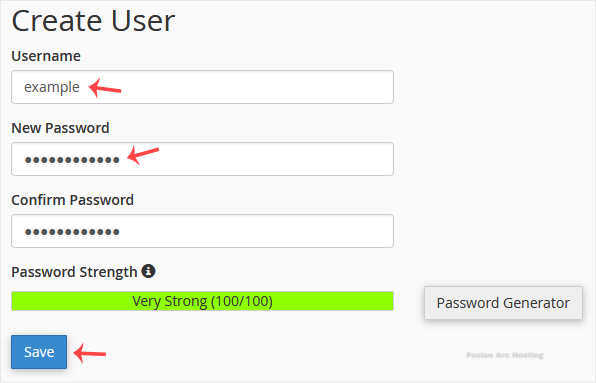
If you try to open the password-protected directory in your browser via the URL www.example.com/myfolder, your browser prompts for credentials.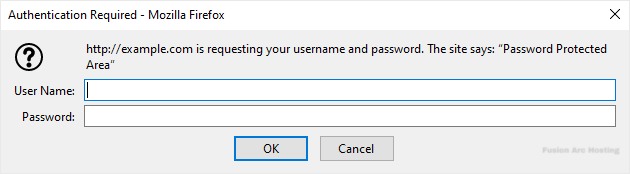
You have password protected a directory in cPanel to add an extra layer of security to your website content.
