



You can restart VPS via the command line or SolusVM 1.
How to Reboot/Restart a VPS via SolusVM 1?
1. Log in to your SolusVM 1 Control Panel.
2. If you have multiple VPSs, select the appropriate one.
3. Click on Reboot.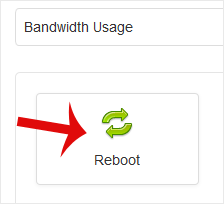
4. Choose Yes to confirm.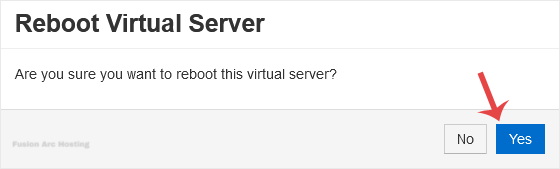
It may take some time to reboot. Then, it will display the message.
How to Reboot/Restart a VPS via Command Line?
1. Log in to your SSH Client.
2. Enter the command shutdown -r now.
Once you execute the command, it may take some time for the VPS to reboot. If the VPS does not come online after 5 to 10 minutes, we advise you to reboot it from SolusVM 1.
