



Have you generated a Certificate Signing Request (CSR) from cPanel but lost it? Then, you can retrieve it. Follow this tutorial only if you have previously generated a CSR from cPanel.
1. Log in to your cPanel account.
2. In the Security section, click on SSL/TLS. 
3. Under the Certificate Signing Request, click on Generate, View or Delete CSR link.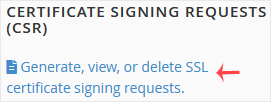
4. Under Certificate Signing Requests on Server, you can see previously generated CSR.
5. Click on Edit, which is located under the Action option.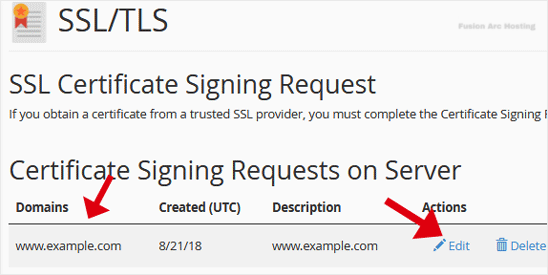
6. Copy the CSR code, located under the Encoded CSR. Please, copy it from/to:
-----BEGIN CERTIFICATE REQUEST-----
to
-----END CERTIFICATE REQUEST-----
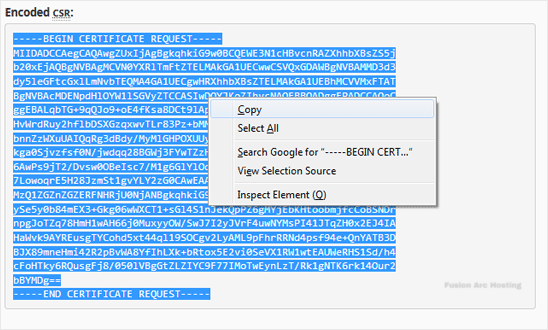
You have retrieved your Certificate Signing Request (CSR) from cPanel. You can now use it to request or reissue an SSL certificate for your domain.
