



You can find our nameservers in your hosting welcome email. You need to update your domain nameservers to our nameservers.
If your domain is registered on NetEarthOne or LogicBoxes-based registrars, you should follow this tutorial to update your domain’s Nameservers.
1. Open the NetEarthOne.com or LogicBoxes-based registrar website and log in to your account.
2. After a successful login, click on List/Search Orders from the Manage Orders drop-down menu. 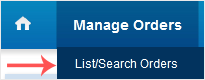
3. Under Domain Name, click on the appropriate choice.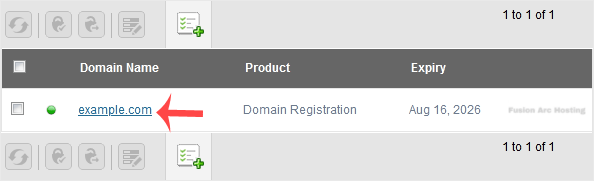
4. Scroll down to the Domain Registration option and click on Name Servers.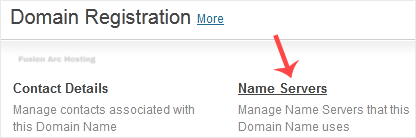
5. Enter the nameservers found in our Welcome Email and click on Update Name Servers.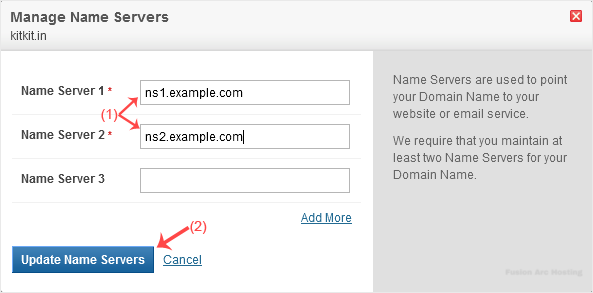
Note: It may take anywhere from 12 to 24 hours for the changes to take effect worldwide.

