



How to Delete an Uncategorized Category in WordPress
You cannot remove the Uncategorized category, but you can rename it. 1. Log in to the WordPress dashboard. 2. From the Dashboard menu, go to Posts and click on Categories. 3. Hover your mouse on the Uncategorized option and click on Quick Edit. 4. Change its name and slug, and confirm with Update Category. The […]
How to Add a New Category in WordPress
WordPress categories are handy for you to organize posts. You can create categories and sub-categories, while posts can be assigned to multiple categories. 1. Log in to the WordPress dashboard. 2. From the Dashboard menu, go to Posts and click on Categories. 3. Enter the following details in Add Category: Name: Enter your category name, […]
How to Bulk Delete Posts in WordPress
It is possible to delete posts in bulk using WordPress. You can also delete selected posts in bulk. 1. Log in to the WordPress dashboard. 2. From the Dashboard menu, go to Posts and click on All Posts. 3. Checkmark the top checkbox to select all posts. 4. Click on Bulk Actions and select Move […]
How to Remove a Post in WordPress
You can remove the published or draft post in WordPress. 1. Log in to the WordPress dashboard. 2. From the Dashboard menu, go to Posts and click on All Posts. 3. Hover your mouse to the post you want to remove, and click on Trash. You will get a message that the post has been […]
How to Write and Publish Your First Blog Post in WordPress
Writing your first blog post is a fascinating thing. Follow the steps below to do so in WordPress. 1. Log in to the WordPress dashboard. 2. From the Dashboard menu, go to Posts and click on Add New. 3. Enter your post title and write your blog post. 4. Under the Post tab, click on […]
How to Remove Sample Comments and Posts From WordPress
You get sample comments and posts in a fresh WordPress install. You can easily remove them in the following way. 1. Log in to the WordPress dashboard. 2. From the Dashboard menu, go to Posts and click on All Posts. 3. Hover the mouse on the sample post and click on Trash. 4. Now, do […]
How to Access the WordPress Admin Dashboard
WordPress is an easy to work with CMS software. To access a WordPress account, please follow these instructions: 1. Open https://example.com/wp-admin in the web browser. Do not forget to replace example.com with your domain name. 2. Enter your WordPress credentials and click on Login. 3. If your login details are correct, you will have successfully […]
How to Change Your WordPress Theme? A Step-by-Step Guide
When you switch WordPress themes you can change how your website looks and feels, as well as its capabilities. When you have to rebrand, enhance performance, or merely enhance the looks of your website, updating your WordPress theme is easy. If you have never changed the theme of your site before, the process can be […]
How to Defer Loading of JavaScript in WordPress

For a successful website and strong SEO rankings, it is important to keep up with the rapidly evolving digital world and ensure optimal website performance. Deferring the loading of JavaScript has proved to be one of the easiest and most effective ways to improve your WordPress site’s speed. Deferring JavaScript means we are delaying the […]
How to Backup a WordPress Site: Essential Methods for Site Security
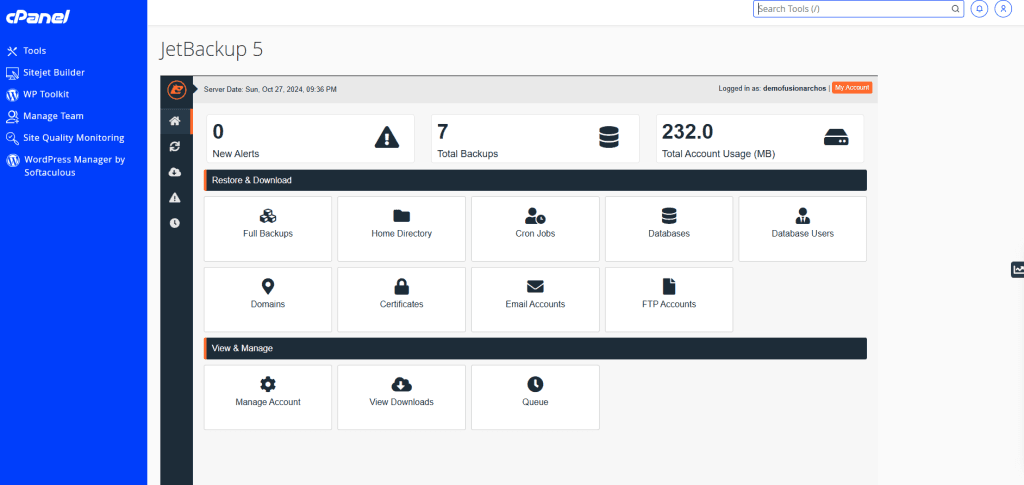
Knowing how to backup a WordPress site is critical for protecting your data and ensuring your website stays safe in case of issues like hacking, data corruption, or server problems. In this guide, we’ll cover the best ways to back up your WordPress site, including using cPanel and popular plugins, and explain how Fusion Arc […]