



AWStats is an open-source web analytics tool. Follow the steps below to access your AWStats.
1. Log in to your SiteWorx account.
2. In the Statistics section, click on AWStats.
3. If you have multiple domains, then choose the appropriate domain from the drop-down menu and click on Login.
4. Under the Stats Type, click on the available option.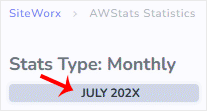
AWStats interface will open, allowing you to examine your website’s statistics.

