



You can use spam filters to block emails from specific email addresses.
1. Log in to your DirectAdmin Account.
2. In the E-Mail Manager section, click on SPAM Filters. Alternatively, type SPAM Filters in the search bar, and the option will appear. Click on it.
3. Under Block By, select the Email option from the drop-down menu.
4. In Value, type the full email address you want to block.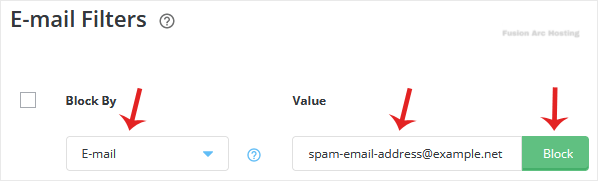
5. Click on Block.
If you want to block more email addresses, repeat steps 3 to 5.

