



DirectAdmin allows you to block emails containing the Stop word.
1. Log in to your DirectAdmin Account.
2. In the E-Mail Manager section, click on SPAM Filters. Alternatively, type SPAM Filters in the search bar, and the option will appear. Click on it.
3. Under Block By, select the Stop Word option from the drop-down menu.
4. In Value, type the stop word you want to block.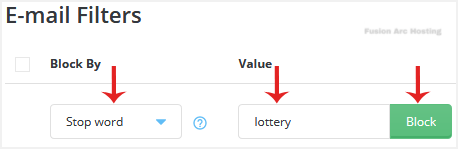
5. Click on Block.
You can add the Stop word as many times as you want. However, if you want to avoid blocking partial matches with other words, use space before and after your Stop word.

