



In this tutorial, you will learn how to enable Apache SpamAssassin in DirectAdmin. SpamAssassin helps filter unwanted emails and reduce spam in your inbox.
1. Log in to your DirectAdmin Account.
2. In the E-Mail Manager section, click on SpamAssassin Setup. Alternatively, type SpamAssassin in the search bar, and the option will appear. Click on it.
3. Click on Enable SpamAssassin.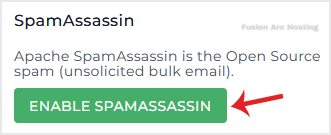
SpamAssassin will be enabled, and you can configure it as per your needs.

