



In this tutorial, you will learn how to examine and optimize a database in DirectAdmin. Optimizing a database helps it run more smoothly and improve performance.
1. Log in to your DirectAdmin Account.
2. In the Account Manager section, click on Databases. Alternatively, type Databases in the search bar, and the option will appear. Click on it.
3. From the list of databases, click on Manage next to the preferred database you want to examine or optimize.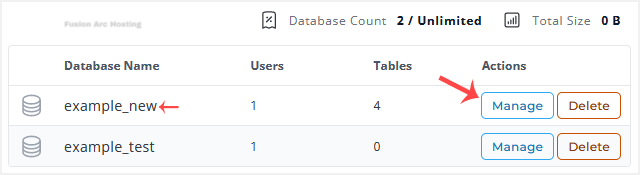
4. Scroll down to the Database Operations, and click on Check to examine or go for Optimize to optimize your database.
A report will display after the database is examined or optimized.

